Form Question Types, Explained
Short text, multiple choice, rating scales, dates, file uploads — each collects different data. Learn when to use each type and how it affects answer quality.
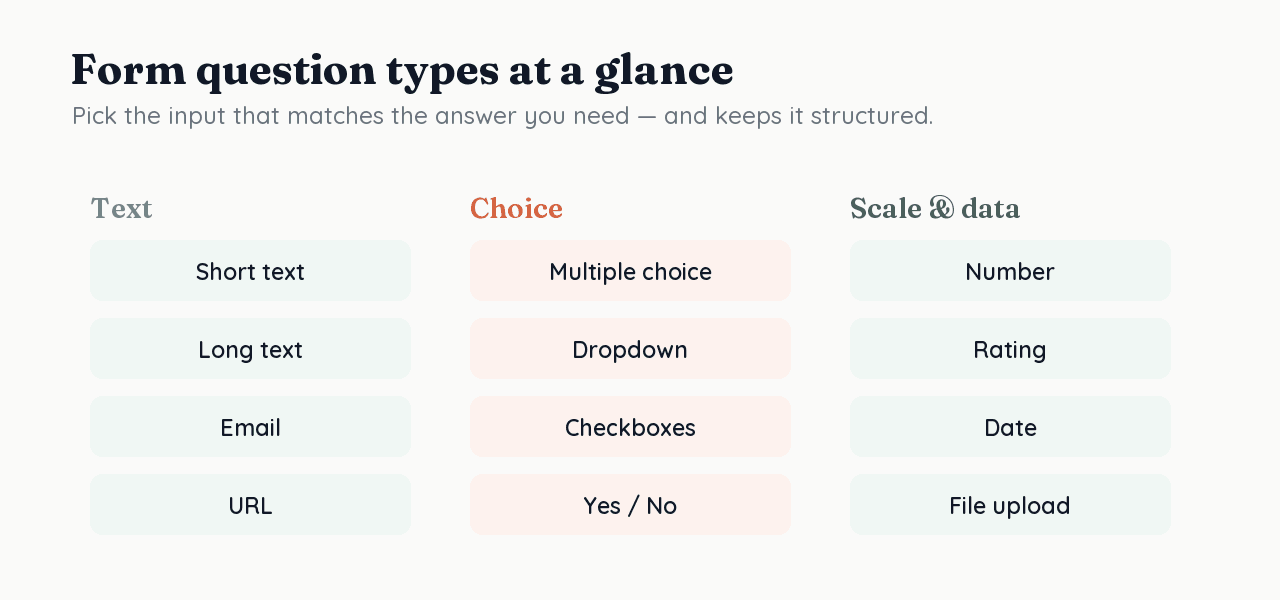
A form question type is the input format a question uses — short text, long text, multiple choice, dropdown, rating, opinion scale, yes/no, date, file upload — and it determines both the effort a respondent spends and the shape of the data you get back. Choosing the right type is part of asking the right question.
What are the main form question types?
They fall into a few families:
- Text — short text, long text, email, URL, phone, number. Flexible, but open text is costly to answer and to analyze.
- Selection — multiple choice, dropdown, radio, yes/no. Fast to answer and easy to analyze because answers are constrained.
- Scale — rating and opinion scales for measuring degree or sentiment.
- Special — date, file upload, and display-only statements.
When should you use open text vs multiple choice?
Use closed (selection) questions for anything you'll analyze, and reserve open text for genuine nuance. Open questions demand more effort, which invites satisficing — respondents taking shortcuts when a question is burdensome (Krosnick, 1991) — and the free-text answers are far harder to compare. A well-built set of choices usually yields cleaner, more analyzable data than an open box.
| Aspect | Open text | Multiple choice |
|---|---|---|
| Effort to answer | Higher | Lower |
| Ease of analysis | Hard (free text) | Easy (constrained values) |
| Risk of satisficing | Higher on long forms | Lower |
| Best for | Genuine nuance, unknowns | Anything you'll measure |
Do rating scales need care?
Yes — the scale you offer shapes the answer. Schwarz (1999) showed that the range and labeling of response options change how people respond, so use a consistent number of points, label them clearly, and keep scales balanced. An unbalanced or vague scale measures your design as much as the respondent's opinion.
How question type connects to your data
Because RoundPushPin maps each question to a typed database column, the question type you choose becomes the column's type — a rating is an integer, a date is a timestamp, a yes/no is a boolean. That means the right type produces clean, queryable data automatically, with no parsing after the fact.
Frequently asked questions
- What are the main types of form questions?
- They group into text (short/long, email, number), selection (multiple choice, dropdown, radio, yes/no), scale (rating, opinion), and special (date, file upload, statements). Selection and scale types are easiest to analyze.
- When should I use a dropdown vs radio buttons?
- Use radio buttons for a few mutually exclusive options the user should see at once; use a dropdown to save space when there are many options. Both store a single constrained value, which keeps analysis clean.
- Are rating scales reliable?
- They can be, if designed carefully: keep a consistent number of points, label them clearly, and keep the scale balanced. Research shows the range and labeling of options shape the answers, so scale design is part of measurement.
Sources
- Krosnick, J. A. (1991) — Response strategies for coping with the cognitive demands of attitude measures in surveys — Applied Cognitive Psychology
- Schwarz, N. (1999) — Self-reports: How the questions shape the answers — American Psychologist
Keep reading
How to Build Trust in Your Forms (So People Complete Them)
People won't hand data to a form they don't trust. A research-backed guide to how visitors judge credibility and the trust signals that matter on forms.
What to Ask (and Not Ask) on a Form
Every field you add costs completion and risk. This research-backed guide explains what to ask, what to leave off, and how sensitive questions change your data.