How to Build Multilingual Forms
Multilingual forms mean more than translation. Learn translation vs localization, keeping versions in sync, and turning one template into 10+ languages.
A multilingual form presents the same questions to respondents in their own language while collecting every answer into one consistent dataset. Done well, it widens your reach without multiplying your maintenance — done badly, it becomes a pile of forks that drift apart.
What's the difference between translating and localizing a form?
Translation converts the text; localization adapts the experience. The W3C distinguishes the two clearly: localization includes formats (dates, numbers), conventions, and structure appropriate to a locale — not just translated words. A genuinely multilingual form gets translated questions and locale-appropriate formats and examples.
Why not just duplicate the form per language?
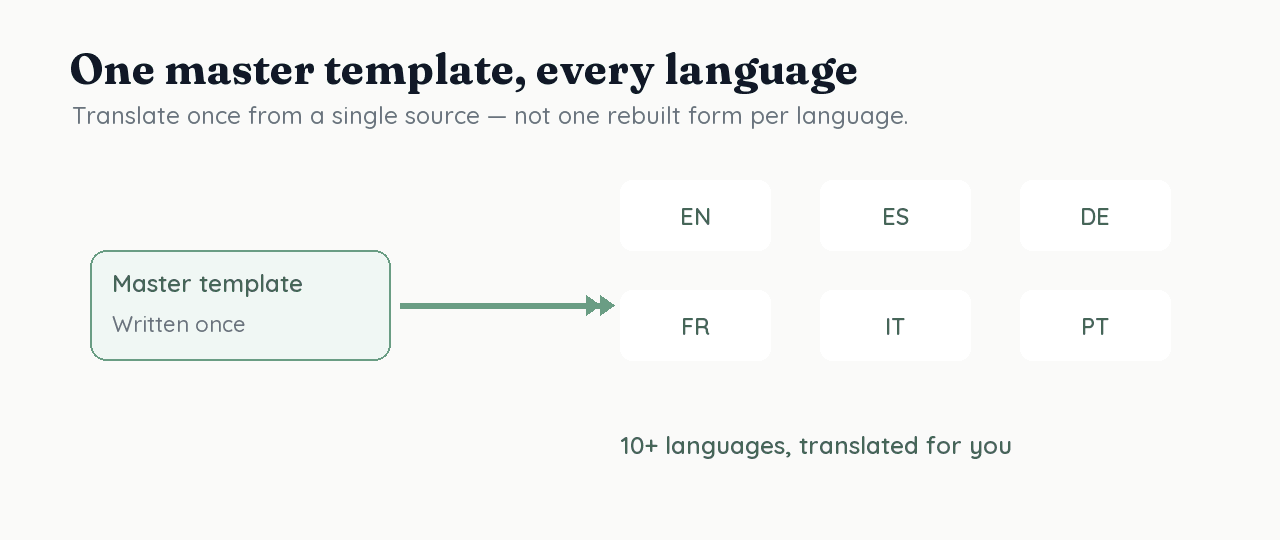
Because each language copy becomes a separate thing to maintain, and they drift. Change a question in the English form and the other nine fall behind. The scalable pattern is a single master template with language layered on top, so the questions stay identical across languages and only the wording changes.
How do you keep multilingual responses comparable?
Map every language version to the same underlying question. When the Spanish "¿Cuál es tu rol?" and the English "What is your role?" both write to the same typed column, responses from all languages land in one dataset you can analyze together — instead of separate spreadsheets per language that you later have to reconcile.
How RoundPushPin handles multilingual forms
RoundPushPin translates your master template into 10+ languages automatically, so you don't rewrite questions per language or hire a translator to start. Because all versions derive from one template and write to one relational store, every answer — in any language — flows into the same queryable place, already aligned by question.
Frequently asked questions
- How do I create a form in multiple languages?
- Use one master template and layer translations on top so the questions stay identical across languages and only the wording changes. RoundPushPin translates the master into 10+ languages automatically.
- What's the difference between translation and localization?
- Translation converts the words; localization adapts the whole experience — date and number formats, conventions, and examples — to a locale. A genuinely multilingual form does both.
- How do I keep multilingual responses comparable?
- Map every language version to the same underlying question so all answers write to one column. Then responses from every language land in one dataset you can analyze together, instead of separate spreadsheets per language.
Sources
Keep reading
Repeatable Contexts: Ask the Same Questions for Many Items
Repeatable contexts let you ask one set of questions per item in a list — products, students, events — without rebuilding the form. How RoundPushPin models it.
One Template, Many Versions: Build a Form Once
Instead of cloning a form for every audience, build one master template and generate every version from it — a single source of truth that scales.